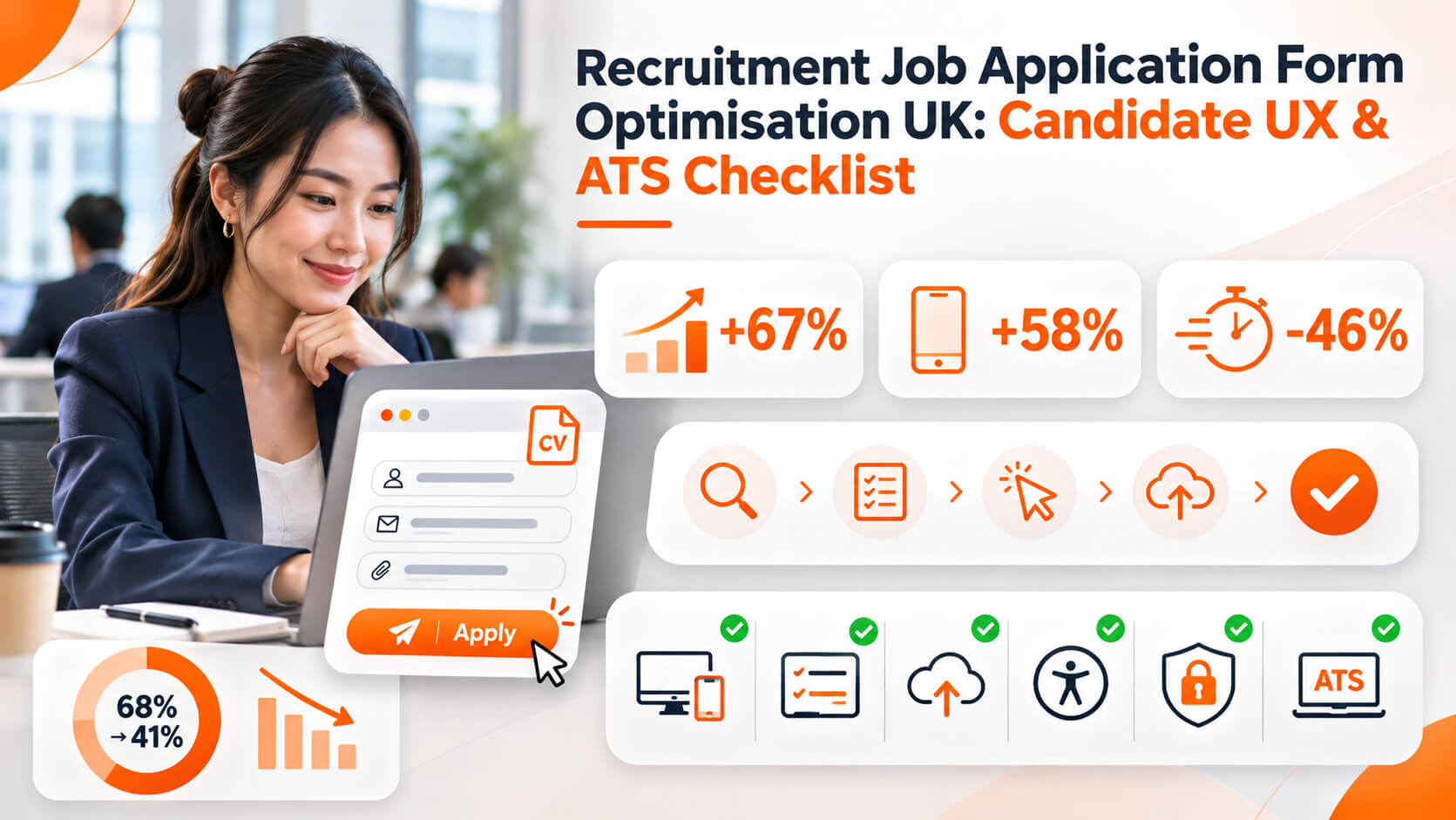
A recruitment agency can pay to attract the right candidate, write a compelling job advert and still lose the application at the final step. The candidate opens an external ATS portal, is asked to create an account, then has to retype their CV on a small screen. Recruitment job application form optimisation focuses on removing avoidable barriers while collecting the information genuinely needed to assess the vacancy.
This guide is for UK recruitment agencies, talent acquisition teams and website managers. It explains how to audit the candidate application journey, choose necessary form fields, connect an applicant tracking system (ATS), make forms accessible, handle personal information responsibly and measure completed, suitable applications—not merely clicks. Recommendations are practical design guidance, not guaranteed performance results or legal advice.
The real conversion journey is bigger than the form
A visitor might arrive from a Google job result, a job board, an agency sector page, an advert or a shared link. They need to understand the role and decide whether it fits before they will provide information. A technically functioning form does not solve missing salary details, a misleading location, a closed vacancy or an unexpected application requirement.
- Discovery: Can a suitable candidate find the vacancy using meaningful job and location information?
- Evaluation: Can they understand salary or pay basis, working pattern, contract type, essential requirements and employer or recruiter identity?
- Start: Does the Apply control lead to a relevant, usable form rather than a generic registration gateway?
- Completion: Can candidates submit on mobile, with clear input labels, upload guidance and error recovery?
- Confirmation: Are they told whether the application arrived, what happens next and how to seek help?
- Recruitment outcome: Can the agency identify qualified applications, shortlist progress and placements without treating mere button clicks as hires?
A job application form audit: the ten checks to make first
| Checkpoint | Practical test | Priority when it fails |
|---|---|---|
| Job-to-form match | Open Apply for three live vacancies and check role identification persists | High: prevents wrong-role applications |
| Mobile usability | Complete the form on a narrow phone screen using a realistic CV | High: blocked applications |
| Account requirements | Count sign-ins, password steps and repeat entry | High when unnecessary |
| Essential fields | Mark each field needed now, later or never | High for unnecessary sensitive data |
| File uploads | Test supported formats, size limits, mobile file picker and errors | High if upload is mandatory |
| Accessible interaction | Use only a keyboard, then a screen reader for labels and errors | High if users cannot submit |
| Privacy explanation | Identify controller/agency, purposes, recipients and retention approach | High where information is missing |
| ATS delivery | Verify a test submission creates the correct, deduplicated record | High when applications disappear |
| Success state | Verify on-page confirmation and an appropriate acknowledgement | Medium–high |
| Measurement | Track start, error, submit and qualified progress without sending personal data to analytics | Medium–high |
Review at least one temporary role, one permanent role and one specialist vacancy if the agency serves those markets. Different hiring pathways may justify different requirements. Retain a screen recording or numbered reproduction steps for errors, but avoid recording real candidate personal information during QA.
Which fields should a UK recruitment application form require?
The right fields depend on the vacancy and the stage of assessment. A short first-stage application might ask for name, a contact channel, the role applied for, a CV or relevant experience summary, and one or two genuinely job-related screening details. Do not assume every role needs all five. A candidate who has already provided a CV should not automatically be required to retype an entire employment history.
Use a three-tier field review
| Tier | Typical examples | Decision rule |
|---|---|---|
| Now | Contact details, job reference, essential eligibility or required qualification if proportionate | Needed to route and evaluate this application |
| Later | Detailed references, availability evidence, documents for a justified check | Collect at the appropriate recruitment stage |
| Avoid unless justified | Bank details, extensive identity information, unrelated personal questions | Do not request solely because the ATS allows it |
GOV.UK advises recruiters to collect only personal information needed on application forms and not irrelevant details such as banking information. The ICO’s recruitment guidance applies to agencies and other organisations handling candidate data. It also stresses an appropriate basis, transparency, proportionality and retention controls. See GOV.UK recruitment data guidance and ICO recruitment and selection guidance. These sources should take precedence over generic marketing claims.
Example: a temporary warehouse operative vacancy
A candidate may need to confirm where they can work, availability for specified shifts and any genuinely essential role requirements. The application should not silently assume that every candidate drives or owns a car when public transport could meet the travel requirement. Explain what evidence will be checked later and why. The employer and recruiter should agree the essential criteria before adding mandatory form fields.
Example: a specialist engineering vacancy
A CV or portfolio link plus a concise job-related screening question may be more informative than ten generic dropdowns. Ask for evidence of particular experience only when it is necessary to assess the work. If candidates must demonstrate a professional registration, explain that requirement and when verification will occur.
Mobile application UX: remove avoidable steps
Testing must include the real ATS, not only the agency website. A candidate may have a seamless job description page and still hit a cramped third-party application portal. Open the complete journey on a phone using ordinary mobile connectivity. Check the page after screen rotation and text resizing, and see whether a candidate can return to an interrupted application.
- Use clear, persistent field labels; set suitable keyboard types and autocomplete where appropriate.
- Keep the job title, location and application purpose visible after redirects.
- Explain file type and size requirements before upload, with helpful recovery if the file is rejected.
- Avoid requiring a password before a simple application unless the account is necessary.
- Keep multi-step forms understandable and show progress without creating needless extra pages.
- Make buttons large enough to activate and ensure validation messages remain visible and readable.
- Provide an alternative contact method for candidates who cannot use a particular form.
Competitor guides from Recruitee and Workable focus on shorter, mobile-usable application experiences. Their examples are useful design comparisons, but a vendor’s reported conversion improvement should not be treated as a prediction for your agency. Test your own funnel.
Accessibility is part of candidate experience, not an optional overlay
Forms should work for keyboard and assistive-technology users, with understandable errors and clear ways to request reasonable adjustments. Under the WCAG 2.2 labels and instructions criterion, people need to know what information to enter. Its error-identification guidance requires detected mistakes to be identified and described in text. Test required-field indicators, error focus, file upload controls, date pickers, consent choices and third-party CAPTCHA.
UK guidance on reasonable adjustments for disabled applicants makes clear that recruitment processes may need changes to avoid substantial barriers. Provide an accessible route for asking about adjustments without forcing unnecessary disclosure of health data to everyone. The method of handling those requests should be agreed with the employer and appropriate staff.
Connect the form to your ATS without losing context or data quality
Map the candidate record before connecting a new form
Write down the vacancy ID, source, submission timestamp, consent or privacy acknowledgement fields where applicable, and the candidate’s contact and application information. Agree which system is the source of truth. Distinguish a new application for a different vacancy from a duplicate submission of the same vacancy; an overzealous deduplication rule can erase legitimate interest.
Test failures, not only successful submissions
- Submit an application with an invalid file, then correct it.
- Submit with one required field blank and check that the error is clearly explained.
- Test a duplicated email address against a second vacancy.
- Simulate an interrupted connection or timeout and verify the candidate is not misled.
- Confirm that a successful form submission reaches the intended vacancy and recruiter.
- Check the candidate gets an appropriate confirmation and any agreed next-step information.
For the wider operational context, Vistoplex’s AI automation for recruitment agencies guide explains where repetitive administration can be automated without delegating consequential hiring judgements to an unchecked system.
Privacy: distinguish recruitment processing from marketing
Candidate applications can contain employment history and, sometimes, sensitive personal information. Make the agency’s privacy information available when the data is collected, explain relevant sharing with clients and processors, restrict access and document a defensible retention schedule. UK GDPR does not establish one universal retention period for every CV: the ICO says organisations must justify retention by purpose and review or delete data they no longer need.
Do not silently add applicants to promotional mailing lists just because they submitted a CV. GOV.UK specifically cautions against using recruitment information for a marketing mailing list. Also keep sensitive data out of URLs, analytics event labels, advertising platforms and testing screenshots. See the ICO storage-limitation guidance for retention principles.
If screening includes automated decision support, assess fairness, transparency, lawful processing, explainability and meaningful human review with the relevant legal and compliance advisers. Do not imply that a better application rate proves fairer recruitment outcomes.
JobPosting structured data: ensure the vacancy remains real
Google’s JobPosting documentation describes eligibility and content rules for individual job pages. The markup belongs on a page describing a single real job, not a generic recruitment landing page. When a job closes, the agency must keep the vacancy’s status and structured data aligned—for example, remove the job, remove the markup or manage validThrough appropriately. The expired job postings SEO checklist explains the full ATS, schema and indexing workflow.
Google defines a direct-apply experience by what the candidate actually needs to do, rather than the presence of a button. Multiple login and information-entry hurdles may prevent a journey from fitting that definition. Structured data cannot rescue a broken form, and correct markup does not guarantee a particular search appearance.
For broader technical issues such as stale vacancies, duplicated URLs and candidate-versus-employer intent, see the Vistoplex recruitment SEO checklist.
Measure the application funnel without inventing conversion gains
Start with events that accurately represent real user actions. Use an anonymous vacancy identifier where feasible and do not put names, emails, CV text or health information in analytics data. When an ATS is hosted on another domain, confirm how attribution and cross-domain sessions work before interpreting the reports.
| Metric | Illustrative formula | Interpretation |
|---|---|---|
| Application start rate | Starts ÷ eligible job-page sessions | Did visitors begin? |
| Application completion rate | Successful submissions ÷ starts | Can candidates finish? |
| Application error rate | Sessions with meaningful form error ÷ starts | Where is avoidable friction? |
| Qualified application rate | Applications meeting agreed criteria ÷ successful submissions | Are applications suitable? |
| Shortlist rate | Shortlisted candidates ÷ successfully submitted applications | What happens after submission? |
| Source quality | Qualified applications by channel, with attribution limitations recorded | Which sources lead to relevant candidates? |
An illustrative scenario: 400 application starts and 220 successful submissions yield a completion rate of 55%. If later design changes produce 260 submissions from 400 starts, that is 65%—a ten-percentage-point difference, not proof of a causal uplift. It could reflect different candidates, jobs, channels or tracking. Compare equivalent periods and review qualified outcomes as well as completion.
A practical 14-day optimisation sprint
Days 1–3: map the funnel
Inventory live recruitment journeys, note the destination of every Apply button, establish baseline counts and record mobile/desktop failure points. Choose two representative vacancies and one high-priority traffic source. Avoid making conclusions from tiny or inconsistent samples.
Days 4–6: fix the biggest barriers
Remove avoidable duplicate entry, clarify essential job information, correct required-field labels, solve broken uploads and review privacy text. Keep changes scoped so the team can evaluate the effect. Make an alternative support route prominent if the main form is inaccessible.
Days 7–10: validate the full ATS route
Test keyboard use, screen readers, redirects, error states, duplicate submissions, spam controls and confirmation. Have a recruiter verify each test record arrives in the correct ATS pipeline. Use synthetic test candidates rather than real personal records.
Days 11–14: report and iterate
Review application starts and successful submissions, monitor user errors, and ask recruiters whether application quality changed. Make a prioritised backlog rather than expanding scope during every test. Document responsibility for job expiry, accessibility defects and data retention.
Job application form optimisation checklist for agency managers
- Live job details match the page and apply form; expired vacancies are managed.
- The candidate can complete the actual application on mobile without unnecessary sign-ins.
- Every compulsory field has a current purpose and clear instructions.
- CV uploads and alternative routes are tested, including error recovery.
- The form works with keyboard navigation and common assistive technologies.
- Privacy information, access controls, candidate sharing and retention are documented.
- The submission appears in the correct ATS vacancy and produces a trustworthy confirmation.
- Analytics counts genuine starts and successful submissions separately from Apply clicks.
- Qualified application and shortlist metrics are reviewed alongside completion rate.
- A named owner fixes defects and retests whenever the ATS or website changes.
Frequently asked questions
How many fields should a recruitment application form have?
There is no universally correct number. Use as few as needed to route and evaluate the specific application at that stage. A shortlist of necessary fields is better than an arbitrary “five fields” rule if the job genuinely needs a different set of information.
Should candidates upload a CV or complete a structured form?
It depends on the role and assessment method. Avoid requiring duplicate entry of information already provided. Offer clear alternatives where possible and collect additional evidence only when there is a justified need.
Can we redirect applicants to our ATS?
Yes, provided the actual journey is usable, secure and clearly signposted. Test redirects, mobile forms, authentication, record mapping and error recovery rather than assuming the ATS supplier has covered every issue.
Will JobPosting schema increase completed applications?
Markup can support eligibility for particular Google job-search experiences when implemented correctly, but it does not guarantee visibility or remove application friction. Job and form quality remain separate requirements.
Should we ask to keep a CV on file for future jobs?
Explain the specific purpose, lawful basis and relevant retention conditions; do not treat an application for one vacancy as automatic permission for unrelated marketing or indefinite storage. Seek specialist advice when uncertain.
Conclusion: optimise the journey, not just the button
A recruitment agency website should help the right candidates understand a real job and finish a trustworthy application. Improvements that remove needless friction must also protect accessibility, fair selection and personal data. Audit the complete journey, connect the ATS reliably, review outcomes beyond submission volume and repeat the tests whenever workflows change.
Editorial review: 5 November 2026. This is general website, recruitment marketing and accessibility guidance—not legal advice or a claim that any specific agency meets a regulatory standard.